01
Choose the exact view
Set front, three-quarter, side, back, low, or top-down framing for the product multiple views instead of asking the model to guess.
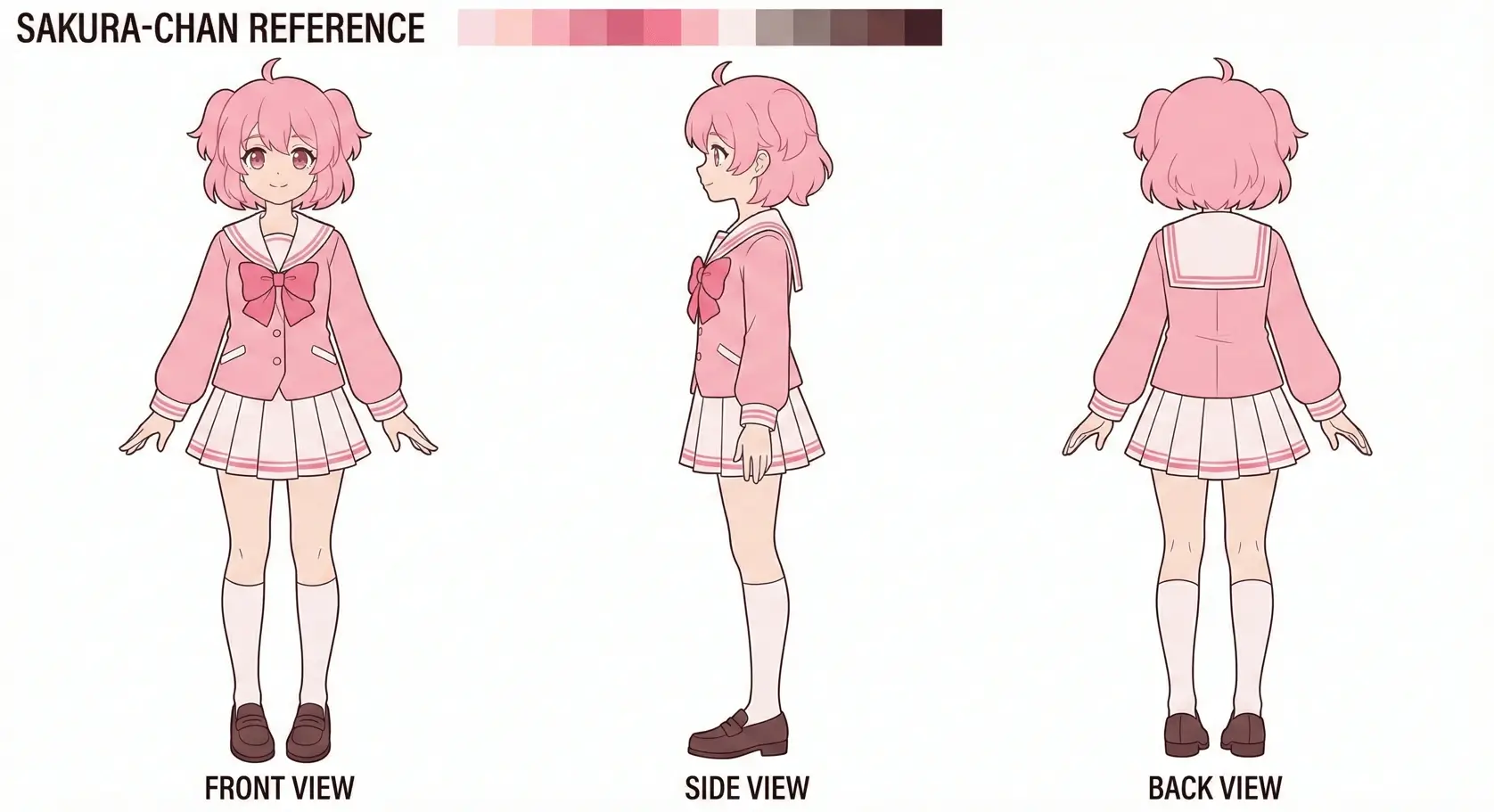
Create storefront-ready product angles for e-commerce teams, marketers, and product photographers. Upload reference images, set the camera, and keep the original subject as your visual anchor.
Directed generation
A useful product multiple views needs more than a rewritten prompt. Set horizontal rotation, vertical elevation, and distance before you generate each view.
01
Set front, three-quarter, side, back, low, or top-down framing for the product multiple views instead of asking the model to guess.
02
Upload up to three references so the product multiple views follows the same identity, materials, palette, and silhouette.
03
Choose close, medium, or wide distance, then export the product multiple views view as JPEG, PNG, or WebP.
Three-step workflow
選んだカメラ設定に従って生成するので、プロンプト全体を書き直さずに視点を探索できます。
最大3枚の画像で身元・スタイル・質感のアンカーを渡します。
生成前に水平回転・垂直仰角・フレーミング距離を選択。
JPEG / PNG / WebP でダウンロードし、制作フローへ続けます。
Prompt recipes
Use a short constraint prompt to protect the details that matter. Pick a recipe below, then refine it in the generator.
Keep the product silhouette, materials, logo placement, and color unchanged across the new camera view.
Preserve packaging text, seams, reflections, and asymmetrical details; clean commercial lighting on a simple background.
E-commerce product reference view, full product visible, eye-level camera, even lighting, no invented branding.
Production uses
一貫した視点が必要な場面で 3D Camera Control を使えます。
1枚の参照写真から出品向け角度を作成。
左右・背面・ロー・俯瞰を、ゼロから再プロンプトせず探索。
被写体を固定し、カメラだけ動かしてきれいに反復。
Consistency first
The camera stays explicit and the source images stay visible throughout the workflow, giving you a clearer base for review and iteration.
参照画像を中心に据え、水平回転・垂直仰角・距離の視点コントロールを提供します。 新しいプロンプト運に頼る代わりに、先にカメラ設定を選んでから生成します。
汎用ジェネレーターは角度変更時に身元やディテールが変わりやすく、マルチビューが信頼しにくいです。 視点選択と被写体連続性を分けることで、EC・キャラパイプライン・AI動画計画に適します。
選んだカメラ設定に従って生成するので、プロンプト全体を書き直さずに視点を探索できます。
Practical answers
ツール比較中のクリエイター向けの実務回答。
A product multiple views workflow creates coordinated front, side, back, and detail shots from one product reference so listings and galleries stay visually consistent.
Yes. One clear reference can work, but two or three references usually give a product multiple views better guidance for hidden details and asymmetrical features.
Start with the view missing from your current set. Use 0° for front, 90° or 270° for side, and 180° for back. A neutral product multiple views usually works best at eye level.
Treat output from the product multiple views as planning or draft material. Review identity, text, materials, and hidden details before it becomes a final deliverable.
Yes. Upload up to three images. A hero shot, a detail crop, and an existing alternate angle can give a product multiple views better visual constraints.
Use clean references, keep the prompt focused on unchanged traits, generate one deliberate view at a time, and compare every result with the source before continuing.
人物、キャラクター、商品、物体、シーンに対応。細部のはっきりした参照ほど大きな視点変化でも保ちやすいです。
汎用ツールはロール間の連続性を保証しません。本ツールは参照を残し、専用カメラ制御で視点だけ変えられます。
認識可能な身元と主要ディテールの保持を目指しますが、参照品質と角度幅で差が出るため、本番前に確認してください。
はい。1視点ずつ生成するか、スタジオのターンアラウンド系フローを使えます。有料プランは枠と優先処理が増えます。
はい。無料クレジットで開始し、必要に応じてアップグレードできます。
アップロード画像の権利があり、法令と利用規約に従う場合は可能です。出品画像、コンセプト参照、マーケ静止画、動画計画フレームなどに使えます。
Keep building
Move between adjacent tasks without leaving the same directed camera tool.
Open the change photo angle AI workflow with a matching default camera setup.
Open the camera angle control workflow with a matching default camera setup.
Upload up to three references and control horizontal rotation, vertical elevation, and distance.